
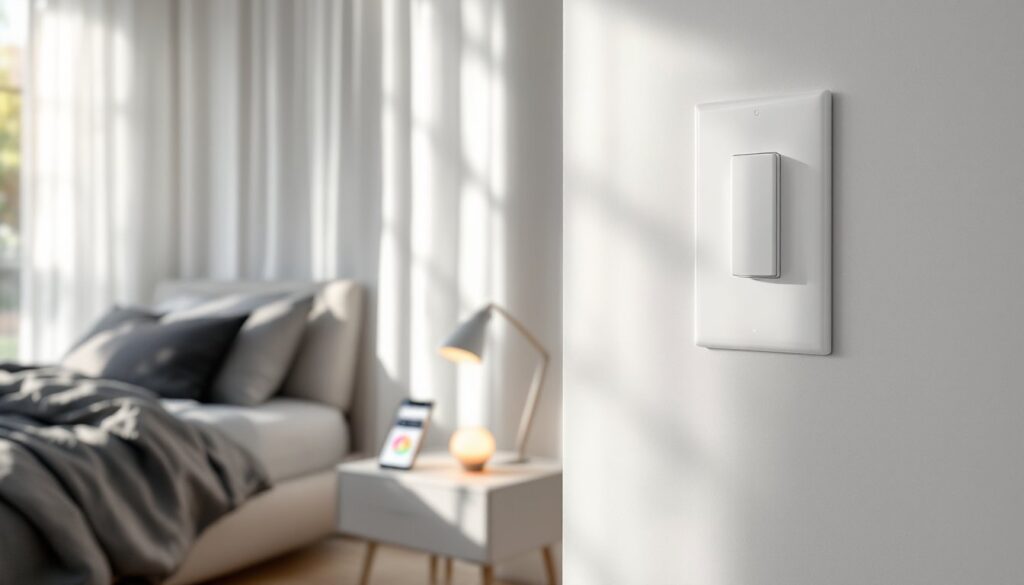
Smart bulbs promise convenience, control your lights from your phone, set schedules, change colors, and integrate with voice assistants. But there’s a catch that trips up almost every new user: the wall switch. Unlike traditional bulbs, smart bulbs need constant power to stay connected to your network and respond to commands. That means leaving the physical light switch in the “on” position, even when the bulb appears off. It’s counterintuitive, especially after a lifetime of flipping switches to save energy. This guide breaks down why smart bulbs work this way, what happens when you cut power, whether you’re wasting electricity, and practical workarounds to keep everyone in your household from sabotaging your setup.
Table of Contents
ToggleKey Takeaways
- Smart bulbs require constant power to maintain wireless connectivity and respond to app, voice, and automation commands, even when the light appears off.
- Leaving the light switch on with smart bulbs costs only about 70 cents per bulb annually in standby power—a negligible expense compared to the energy savings from LED technology.
- Cutting power to smart bulbs by flipping the switch creates frustrating issues: lost remote control, delayed network reconnection (10–30 seconds), and some bulbs resetting to full brightness when power is restored.
- Frequent power cycling from switch-offs can shorten smart bulb lifespan and destabilize mesh networks like Zigbee, affecting performance across your entire smart home.
- Install smart switches or smart dimmers to replace dumb wall switches and eliminate the need for users to avoid flipping them—this keeps constant power flowing while enabling physical control.
- For renters or those avoiding rewiring, use inexpensive physical switch covers or reminder labels to prevent accidental power shutoffs and protect your smart bulb ecosystem.
Why You Should Leave the Light Switch On With Smart Bulbs
Smart bulbs aren’t just LEDs with a dimmer. They contain wireless radios, Wi-Fi, Zigbee, or Bluetooth, plus microprocessors that listen for commands from your phone, hub, or voice assistant. When the wall switch is on, the bulb draws a tiny amount of standby power (typically 0.2 to 0.5 watts) to keep that radio active, even when the light itself is off.
Cut power at the switch, and the bulb goes completely dark, not just the light, but the smarts too. It can’t hear your app, respond to schedules, or participate in automations. Leaving smart bulbs powered maintains the wireless connection necessary for remote control and integration with smart home ecosystems.
This is the fundamental trade-off: you give up the tactile certainty of a physical switch in exchange for software-based control. Most manufacturers design their bulbs assuming the switch stays on permanently. Philips Hue, LIFX, Wyze, and others all recommend this in their setup guides.
Safety note: There’s no fire or electrical hazard from leaving switches on with smart bulbs. The bulb’s internal circuitry manages power draw, and modern LEDs generate minimal heat even during extended standby.
What Happens When You Turn Off the Switch
Flip the switch off, and the smart bulb loses all power. The immediate consequence: you can’t control it remotely until you restore power. No app control, no voice commands, no automations. If you’ve set a “good morning” routine to gradually brighten the bedroom at 6 a.m., it won’t fire.
Worse, some bulbs reset to full brightness when power is restored. Imagine flipping the switch at 2 a.m. after a bathroom trip and getting blasted with 800 lumens of daylight white. Not all bulbs do this, some remember their last state, but it’s common enough to be annoying.
Frequent power cycling can also shorten bulb lifespan. While LED chips themselves handle power cycles well, the internal electronics, capacitors, voltage regulators, wireless modules, aren’t designed for daily hard shutoffs. It’s like force-quitting an app versus closing it gracefully. Most quality smart bulbs are rated for 15,000 to 25,000 hours of operation, but that assumes stable power.
Another issue: network reconnection delays. When you restore power, the bulb has to rejoin your Wi-Fi or Zigbee mesh, which can take 10 to 30 seconds. During that window, it’s unresponsive. In a Zigbee or Thread mesh network, repeatedly dropping nodes can destabilize the entire mesh, causing sluggish performance for other devices.
Bottom line: if you want your smart bulbs to actually be smart, the switch needs to stay on.
Power Consumption: Does Leaving the Switch On Waste Electricity?
The short answer: no, not in any meaningful way. When a smart bulb is “off” via your app or voice assistant, it’s not actually off, it’s in standby mode, drawing between 0.2 and 0.5 watts to keep the wireless radio and processor active. For comparison, a traditional LED bulb draws zero watts when switched off at the wall, but the difference is negligible.
Let’s do the math. Assume a bulb draws 0.5 watts in standby, and you leave it that way for 8,760 hours (a full year). That’s 4.38 kWh annually. At the U.S. average residential rate of about $0.16 per kWh (rates vary widely by region), you’re spending roughly 70 cents per bulb per year on standby power. For a home with ten smart bulbs, that’s $7 annually.
Compare that to the energy saved by using smart bulbs in the first place. A 9-watt LED smart bulb replaces a 60-watt incandescent. If you use that bulb for three hours a day, the LED saves 51 watts × 3 hours × 365 days = 55.8 kWh per year, worth about $8.90. The standby cost is a rounding error against those savings.
Some users worry about vampire power across their whole home. If standby draw bothers you, prioritize unplugging older devices, cable boxes, gaming consoles, and desktop PCs in sleep mode often draw 5 to 15 watts each, dwarfing what smart bulbs consume. Experts studying smart bulb energy use confirm that standby power is a minimal factor in household energy bills.
One exception: if you’re installing smart bulbs in a vacation home or space used infrequently, the standby draw adds up with no offsetting benefit. In that case, consider smart switches instead (covered below).
Practical Solutions for Managing Smart Bulbs Without Constant Power
Even when you understand the “leave it on” rule, enforcement is the challenge. Housemates, kids, and guests will flip switches out of habit. Here are the two most effective workarounds.
Install Smart Switches or Dimmers
The cleanest solution: replace the dumb switch with a smart switch or smart dimmer. These devices control power to the fixture while staying connected to your smart home network. You get physical control without cutting power to the bulbs.
Key distinction: some smart switches are designed to work with smart bulbs, and others are meant to replace them. If you already have smart bulbs installed, you want a switch that keeps constant power flowing to the fixture while sending wireless commands to the bulbs. Lutron Caséta and Inovelli make models specifically for this use case.
Alternatively, use a smart switch with dumb LED bulbs. This approach puts the smarts in the switch instead of the bulb. You lose per-bulb color control (if you have multi-bulb fixtures), but gain reliability and eliminate the “don’t touch the switch” problem.
Installation notes: replacing a light switch is straightforward if you’re comfortable with basic electrical work. You’ll need a non-contact voltage tester, wire stripper, and screwdriver. Most smart switches require a neutral wire in the box, older homes (pre-1980s) sometimes lack neutrals in switch boxes, which limits your options. If you’re unsure about your wiring or local codes, hire a licensed electrician. Permits typically aren’t required for like-for-like switch replacement, but rules vary by jurisdiction.
Smart dimmers add another wrinkle: not all LEDs are dimmable, and compatibility between dimmers and bulbs can be finicky. Check the switch manufacturer’s compatibility list before buying.
Use Physical Switch Covers and Reminders
If you’re not ready to rewire, a switch cover or switch guard physically blocks access to the toggle. These are clear plastic clips that fit over the switch, leaving it in the “on” position. They’re cheap (under $10 for a multipack) and require zero tools, just peel-and-stick or screw-mount.
Downside: they look a little clunky, and you’ll need to remove the cover if you ever want to cut power (say, to reset a misbehaving bulb). They’re best for low-traffic areas or rooms where everyone’s on board with the smart bulb setup.
Another option: reminder labels. A small “Leave On for Smart Bulbs” sticker next to the switch helps train household members. It won’t stop a guest from flipping the switch, but it works surprisingly well for regular occupants once the habit sets in.
For renters or anyone who can’t modify wiring, these non-invasive solutions are the most practical path forward. Pairing them with smart bed lighting systems or smart emergency lighting setups can create a cohesive smart lighting experience without touching a single wire.
Conclusion
Smart bulbs require a shift in thinking, the wall switch becomes a “circuit breaker” rather than a daily control. Leave it on, manage lighting through your app or voice assistant, and the system works as designed. The standby power cost is trivial, and the trade-off in convenience is worth it for most users. If physical switches are non-negotiable in your household, invest in smart switches or use covers to prevent accidental shutoffs.


