
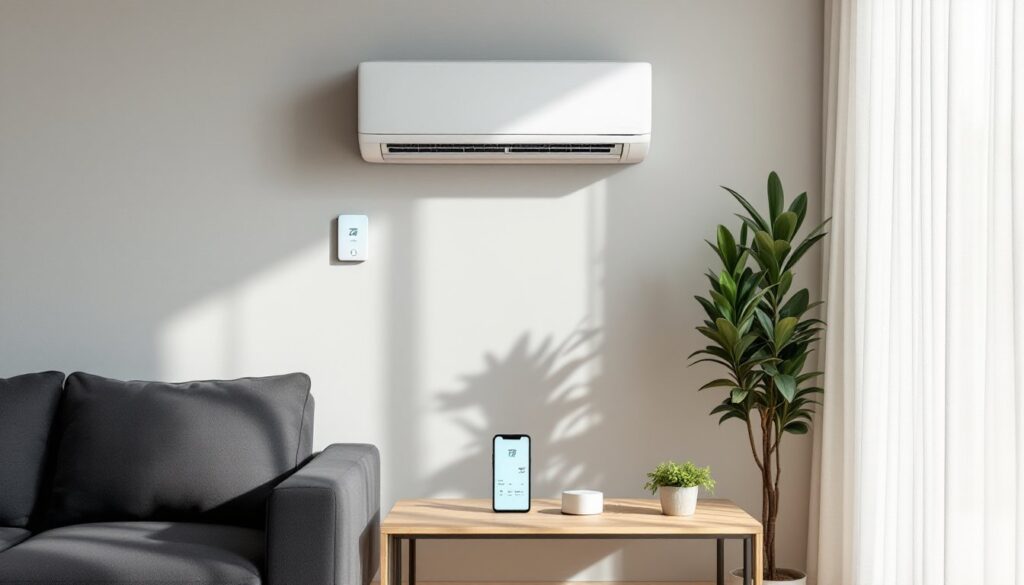
Mini split systems are workhorses for heating and cooling spaces without ductwork, but the stock remotes and wall controllers often feel like they’re stuck in 2005. A smart thermostat can transform your ductless system into a responsive, energy-efficient climate control hub that learns your schedule, responds to voice commands, and cuts down on wasted runtime. Unlike central HVAC, mini splits weren’t designed with standardized thermostat compatibility in mind, so adding smart controls requires understanding your system’s wiring, communication protocol, and limitations. This guide walks through what works, what doesn’t, and how to make the upgrade without voiding your warranty or frying a circuit board.
Table of Contents
ToggleKey Takeaways
- A mini split smart thermostat uses IR blasters or hardwired modules to add Wi-Fi control, remote access, and automation to ductless systems that lack standardized thermostat compatibility.
- IR blaster controllers like Sensibo Sky are universal and simple to install, while hardwired modules such as the Mitsubishi kumo cloud offer two-way communication and real-time feedback for greater precision.
- Smart scheduling with 3–5°F setbacks during work hours and geofencing can save 10–15% on runtime without forcing the compressor to recover harder.
- Dedicated mini split smart thermostats outperform universal options like Nest or Ecobee, which require interface modules and lose zoning control in multi-zone setups.
- Monthly filter cleaning and maintenance reminders prevent 5–15% efficiency losses, while energy monitoring and climate react features help you spot anomalies and optimize comfort automatically.
What Is a Mini Split Smart Thermostat and How Does It Work?
A mini split smart thermostat is a Wi-Fi-enabled controller that replaces or supplements the standard infrared remote or wired thermostat that ships with ductless heat pumps. Unlike traditional thermostats that connect via a low-voltage wire bundle (24VAC), many mini splits use proprietary communication protocols between the indoor air handler and outdoor condenser.
Most smart controllers designed for mini splits fall into two camps: infrared (IR) blasters and hardwired interface modules. IR blasters like the Sensibo Sky sit in line-of-sight to the indoor unit and send the same signals as your handheld remote, translating app commands into IR pulses. They’re universal and non-invasive but require clear sightlines and can’t always read the current unit state.
Hardwired modules connect directly to the mini split’s control board via a wired interface, often a CN-WLAN adapter port or similar proprietary connector. These provide two-way communication, meaning the app knows the exact temperature, mode, and fan speed in real time. Brands like Mitsubishi, Daikin, and Fujitsu offer their own Wi-Fi modules (PAC-USWHS002-WF-2 for Mitsubishi, for example), which integrate tightly but lock you into the manufacturer’s app ecosystem.
A handful of aftermarket smart thermostats claim mini split compatibility, but read the fine print. The Nest Learning Thermostat and Ecobee SmartThermostat are built for central forced-air systems with standard C, R, W, Y, and G wiring. They won’t talk to a mini split unless you add a relay module or interface board, and even then, you may lose zoning control if you have a multi-zone setup.
Key Benefits of Adding a Smart Thermostat to Your Mini Split
Smart controls turn a reactive appliance into a proactive system. Remote access means you can adjust temperature from the job site, office, or vacation, handy if you forgot to turn off cooling before a weekend trip or want to preheat a room before you arrive home.
Scheduling and automation let you program setbacks during work hours and overnight. Mini splits are inverter-driven, so they’re already efficient at part-load operation, but smart scheduling prevents unnecessary runtime when nobody’s home. Pair this with geofencing, and the system can enter eco mode when your phone leaves a defined radius, then resume comfort settings as you approach.
Energy monitoring is built into many smart controllers. Real-time wattage tracking and monthly usage reports help you spot anomalies, like a unit running full tilt because someone left a window open, and quantify savings after tuning your schedule. Some models integrate with home energy dashboards or time-of-use utility rate plans, shifting cooling loads to off-peak hours.
Voice control through Alexa, Google Assistant, or Apple HomeKit adds convenience, especially in a bedroom or home office where you’d rather not get up to grab a remote. Integration with smart home scenes means your “movie mode” can dim lights, close shades, and drop the temperature 2°F with one command.
Finally, smart thermostats often include filter reminders and maintenance alerts. Mini splits rely on clean filters and coils for efficiency: a notification every 200 runtime hours can prevent performance degradation that costs 10–15% in extra energy use.
Best Smart Thermostats Compatible with Mini Split Systems
Sensibo Sky and Sensibo Air are go-to choices for DIYers with mixed-brand or older mini splits. Both use IR blasters, support thousands of mini split models, and offer scheduling, geofencing, and climate react (auto-adjusts based on indoor humidity). The Air model adds an air quality sensor. Setup takes under 10 minutes: mount the device, point it at the indoor unit, and sync via the app. The trade-off is one-way communication, you won’t see real-time feedback unless the unit has a built-in display.
According to reviews of smart AC controls, the Cielo Breez Plus offers similar IR functionality with a sleeker form factor and a built-in temperature/humidity sensor for more accurate local readings. It works with Alexa, Google, and HomeKit, and the subscription-free app includes usage analytics and weekly reports.
For Mitsubishi Electric owners, the kumo cloud module (PAC-USWHS002-WF-2) is a hardwired add-on that plugs into the indoor unit’s CN-WLAN port. It provides full two-way control, including individual zone management for multi-head systems. The kumo cloud app is robust, though some users find the interface less polished than third-party options. Installation requires removing the indoor unit’s front panel and connecting a small adapter board, doable for a confident DIYer, but fiddly if you’re not comfortable with ribbon cables.
Flair Puck is a hybrid approach: it’s a wireless room sensor and IR blaster in one, with optional smart vents for whole-home integration. It’s overkill for a single-zone mini split but makes sense if you’re managing multiple zones and want room-level temperature control. The Puck learns your home’s thermal behavior and adjusts each zone independently.
Traditional smart thermostats like Nest and Ecobee require an interface module (such as the Flair Bridge or a third-party relay adapter) to work with mini splits, and you’ll lose some native features. Unless you’re already invested in one of those ecosystems, dedicated mini split controllers offer better compatibility and fewer headaches.
Installation Guide: DIY vs. Professional Setup
IR blaster installation is straightforward. You’ll need a Phillips screwdriver, a smartphone, and access to your Wi-Fi network. Mount the device on a wall or shelf within 15 feet of the indoor unit, with a clear line of sight to the IR receiver (usually a small window on the front panel). Plug it into a standard 120V outlet using the included USB adapter. Open the app, select your mini split brand and model from the database, and run a test command. If the unit responds, you’re done. If not, try adjusting the angle or moving the blaster closer.
Some units have recessed or side-mounted IR receivers. Check your owner’s manual or shine a flashlight at the front panel, look for a dark plastic lens about the size of a pencil eraser. If you can’t get reliable signal, consider a Sensibo Air with a longer IR range or reposition the blaster on a small adhesive mount.
Hardwired modules require opening the indoor unit’s cover and connecting to the control board. Power down the mini split at the breaker before starting, these boards run on low voltage, but a stray wire can short components. Remove the front grille and filter, then locate the service panel (usually held by two or three screws). Inside, you’ll find the main PCB and a labeled connector port (CN-WLAN, CN-105, or similar, depending on brand).
Insert the Wi-Fi module’s ribbon cable or plug-in adapter, secure it with the mounting screw if provided, and route the antenna wire through a cable clip or grommet. Reassemble the cover, restore power, and follow the manufacturer’s pairing instructions (often a button press or QR code scan). This process takes 20–30 minutes if you’re methodical.
When to call a pro: If your mini split is still under warranty, check whether self-installed accessories void coverage. Some manufacturers allow homeowner installation of their own Wi-Fi modules but not third-party devices. If you’re uncomfortable working inside electrical equipment, or if the control board connector doesn’t match the adapter, hire an HVAC tech. Expect to pay $100–$200 for professional installation of a manufacturer’s module, less if it’s bundled with a maintenance visit.
Maximizing Energy Savings with Smart Mini Split Controls
Start with a realistic schedule. Mini splits are most efficient when allowed to modulate rather than cycle on and off, so avoid deep setbacks (more than 4–5°F) during short absences. For an 8-hour workday, a 3°F setback can save 10–15% on runtime without forcing the compressor to work harder on recovery.
Use geofencing to automate departures and arrivals. Set a 1-mile radius: when the last person leaves, the system enters eco mode (or raises cooling setpoint to 78°F in summer). When the first person crosses back into the geofence, it resumes normal settings. This works best for households with predictable routines.
Climate react or smart triggers can adjust based on indoor humidity or outdoor temperature. If indoor humidity hits 60%, the system can lower the setpoint slightly to dehumidify. If outdoor temp drops below 50°F in winter, it can switch from cooling to heat mode automatically.
Enable maintenance reminders and clean filters monthly. A clogged filter forces the blower to work harder and reduces airflow across the coil, cutting efficiency by 5–15%. Some smart controllers track runtime hours and send a push notification every 200–300 hours.
Review energy reports monthly. Many apps show daily usage in kWh or estimated cost. Compare months year-over-year to gauge the impact of schedule changes. If you see a spike, cross-check with weather data, unseasonably hot weeks or a failing outdoor fan can both drive up consumption.
Integrate with a smart home hub if you have one. A hub like Home Assistant or Hubitat can coordinate your mini split with window shades, ceiling fans, and occupancy sensors. For example, if a motion sensor detects no movement in a room for 30 minutes, the hub can send a command to raise the cooling setpoint or switch to fan-only mode.
Additional strategies include using the fan-only mode during shoulder seasons (spring and fall) when outdoor temps are mild, and setting night mode or quiet operation to reduce fan speed and compressor noise while sleeping. Many mini splits have a sleep timer or gradual temperature drift built into the stock remote: smart controllers can automate this based on your bedtime routine.
Common Issues and Troubleshooting Tips
IR signal failures are the most common hiccup with blaster-style controllers. If commands stop working, check for obstructions, dust, furniture, or a repositioned indoor unit can block the IR path. Clean the IR window on both the controller and the mini split with a microfiber cloth. If the problem persists, swap the blaster’s location or adjust the IR angle in the app settings (some models let you fine-tune the beam direction).
Wi-Fi connectivity drops often stem from weak router signal or 2.4 GHz band congestion. Most smart controllers use 2.4 GHz only, 5 GHz won’t work. Move the controller closer to the router, or add a mesh node if your home has dead zones. Check that your router’s firmware is up to date and that MAC address filtering isn’t blocking the device.
App shows wrong temperature when using an IR blaster because the device relies on its own sensor or the mini split’s reported temp, which may differ from the actual room temp by a few degrees. If the blaster is mounted near a heat source (TV, lamp, window with direct sun), it’ll read high. Relocate it to a neutral spot, away from vents and exterior walls.
Commands delayed or ignored can happen if the mini split is in a proprietary mode (like “powerful” or “quiet”) that overrides external inputs. Reset the unit to auto or standard mode from the handheld remote, then try the app again. Some brands also have a “central control lockout” setting that disables remote commands when a wired thermostat is installed, check the service menu if you recently added or removed a wired controller.
Compatibility issues arise when the app database doesn’t have your exact model. Try selecting a similar model from the same brand and year range. If that fails, use the app’s learning mode to teach it your remote’s IR codes manually, point your handheld remote at the smart controller and press each button (power, temp up, temp down, mode, fan). The controller records the signals and maps them to app functions.
For evaluating the best options, smart AC controller reviews for detailed compatibility tables.
No power or device won’t pair usually means a USB adapter issue or the controller isn’t in pairing mode. Verify the power adapter outputs 5V/1A minimum. Press and hold the pairing button (often recessed) for 5–10 seconds until an LED blinks. If the LED doesn’t light, try a different USB cable or outlet.
Conclusion
Upgrading a mini split with a smart thermostat bridges the gap between efficient hardware and intelligent control. Whether you go with an IR blaster for simplicity or a hardwired module for precision, the right controller can reduce energy waste, automate comfort, and give you visibility into how your system actually performs. Take the time to match the device to your mini split’s brand and communication protocol, follow the installation steps carefully, and use the scheduling and automation features to their full potential.


