
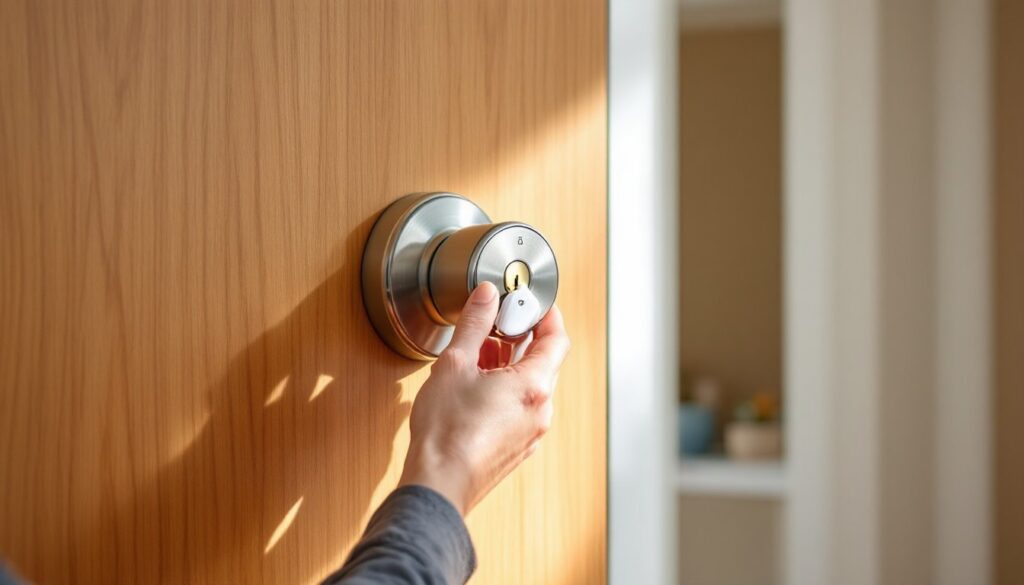
Moving into a new house? Lost track of who has keys to your place? The traditional solution involves calling a locksmith and paying $80–$150 per lock. Kwikset SmartKey technology tosses that outdated playbook. This system lets homeowners rekey their own deadbolts and entry locks in under 30 seconds, no special tools, no professional help, just the current key and the new one you want to use. For DIYers and security-conscious homeowners, SmartKey locks deliver peace of mind without the service call. Here’s everything you need to know about how the system works, which models to consider, and how to avoid the handful of pitfalls that trip up first-timers.
Table of Contents
ToggleKey Takeaways
- Kwikset SmartKey technology allows homeowners to rekey deadbolts and entry locks in under 30 seconds without professional locksmith help, saving $300–$500 per rekeying visit.
- The system uses a patented sidebar locking mechanism with rotating wafers that resists bump-key attacks better than standard pin-tumbler locks and offers ANSI Grade 1 security options.
- Rekeying a Kwikset SmartKey lock requires only the current key, the new key, and the included plastic tool—insert the tool while the current key is turned 90 degrees, then swap in the new key and remove the tool.
- SmartKey locks integrate seamlessly across Kwikset’s product line, including smart options like Halo (Wi-Fi) and Kevo (Bluetooth), all sharing the same rekeying capability for consistent multi-lock access control.
- Common rekeying mistakes—such as removing the SmartKey tool before inserting the new key or using non-Kwikset key blanks—can jam the lock and require troubleshooting, so follow the step-by-step process carefully.
- For new installations on non-standard doors (fire-rated, steel, or historic materials), hiring a professional ensures proper drilling and maintains security and building code compliance.
What Is Kwikset SmartKey Technology and How Does It Work?
Kwikset SmartKey is a patented rekeyable lock cylinder that allows the user to change the key the lock accepts without disassembling the hardware. Unlike conventional pin-tumbler locks, which require a locksmith to remove the cylinder, swap out pins, and reassemble everything, SmartKey uses a sidebar locking mechanism combined with rotating wafers.
When you insert the SmartKey tool (a small piece of plastic included with every lock) into a port on the lock face and turn the current key, the sidebar disengages and the wafers unlock. Insert the new key, remove the tool, and the lock reprograms itself to accept only that new key. The old key becomes useless instantly.
The system debuted in 2008 and has been refined through multiple generations. Current models (third-generation SmartKey, standard on 2024+ locks) address early criticisms about durability and pick resistance. The sidebar mechanism resists bump keys and basic pick attacks better than many conventional pin-tumbler designs, though no residential lock is invulnerable to a determined attacker with the right tools.
One critical detail: SmartKey only works with Kwikset-brand keys (KW1 keyway). You can’t rekey to a Schlage or other brand’s key blank without replacement parts that defeat the purpose of the system.
Benefits of Choosing a Kwikset Smart Key Lock for Your Home
The primary advantage is cost savings. A single locksmith visit to rekey five door locks can run $300–$500 depending on region and travel fees. With SmartKey, homeowners pay once for the locks and rekey as many times as needed at zero additional cost. This matters when you move, after losing keys, or when you want to rotate access for contractors or tenants.
Convenience ranks second. The entire process takes 20–30 seconds per lock once you’ve done it once. No waiting for appointments, no coordinating schedules, no handing your house keys to a stranger.
SmartKey also supports single-key convenience across multiple locks. Rekey all your entry doors to match one key, then add a new deadbolt later and rekey it to match without tracking down a locksmith. Many homeowners combine this with Kwikset Halo or Kevo smart locks (which also use SmartKey cylinders) to maintain a master key for manual backup even when using keyless entry.
Enhanced Security Features
Beyond rekeying convenience, Kwikset SmartKey locks include ANSI Grade 1 and Grade 2 options. Grade 1 deadbolts (like the 980 series) offer the highest residential security rating from the American National Standards Institute, tested for 250,000 cycles, forced entry resistance, and environmental durability.
The sidebar mechanism resists bump-key attacks more effectively than standard pin-tumbler locks. Bump keys exploit the physics of pin stacks: SmartKey’s wafer-and-sidebar design doesn’t use traditional pin stacks, making the technique ineffective.
SmartKey locks also feature BumpGuard technology (Kwikset’s branding for the integrated sidebar system) and, on select models, SmartCode motorized deadbolts that automatically throw the bolt when the door closes, preventing the common mistake of leaving a door unlocked.
How to Rekey a Kwikset Smart Key Lock in 3 Simple Steps
Rekeying a SmartKey lock requires no disassembly. You’ll need the current working key, the new key you want to use, and the SmartKey tool (included with every lock, looks like a small plastic pin, usually stored in the keyway during shipping).
Before starting: Ensure the door is open and the deadbolt fully retracted. Work in good lighting, the SmartKey port is small and easy to miss in dim conditions.
Step 1: Insert the current key and turn 90 degrees.
The key should turn a quarter-turn clockwise (for most deadbolts). This positions the cylinder for reprogramming. If the key doesn’t turn smoothly, step-by-step rekeying instructions can help troubleshoot alignment issues.
Step 2: Insert the SmartKey tool into the small hole on the lock face.
The port sits to the left of the keyway on most deadbolts, above it on some knob sets. Push the tool all the way in, you’ll feel slight resistance as it engages the sidebar release mechanism. Keep the current key turned while inserting the tool.
Step 3: Remove the old key, insert the new key, then remove the SmartKey tool.
While the tool is still inserted, pull out the current key. Immediately insert the new key fully into the keyway. Turn the new key back to the vertical position, then pull out the SmartKey tool. Done. Test the new key by cycling the lock a few times.
Common mistake: Removing the SmartKey tool before inserting the new key. If you do this, the lock jams and you’ll need to start over (sometimes requiring the reset procedure described in the lock’s manual).
Safety note: Do not force the SmartKey tool. If it doesn’t slide in smoothly, the current key isn’t in the correct position. Over-forcing can damage the sidebar mechanism. If you encounter resistance, the SmartKey rekeying process includes tips for troubleshooting stuck cylinders.
Popular Kwikset Smart Key Lock Models for 2026
Kwikset 980 Series (Grade 1 Deadbolt)
The 980 is Kwikset’s top-tier traditional deadbolt. It carries an ANSI Grade 1 rating, the highest security classification for residential locks. Features include a 1-inch hardened steel throw bolt, reinforced strike plate with 3-inch screws, and a lifetime mechanical warranty. Retail pricing runs $40–$60 depending on finish. Ideal for exterior doors on primary entries or when insurance or municipal codes require Grade 1 hardware.
Kwikset Halo (Wi-Fi Smart Lock)
Halo combines SmartKey rekeying with Wi-Fi keyless entry, no hub required. Homeowners control the lock via the Kwikset app, create temporary access codes for guests or contractors, and receive notifications when the door is unlocked. The Halo retains a physical keyway for backup access, and that cylinder uses SmartKey technology for rekeying. Expect to pay $180–$230. Requires four AA batteries (typically lasts 6–12 months).
Kwikset Kevo (Bluetooth Touch-to-Open)
Kevo uses Bluetooth and capacitive touch to unlock when you touch the exterior after approaching with your phone. Like Halo, Kevo’s backup cylinder is SmartKey-compatible. Kevo integrates with Apple HomeKit, Amazon Alexa, and Google Assistant (requires the Kevo Plus gateway for remote access). Pricing ranges $150–$200. Battery life is similar to Halo.
Kwikset SmartCode 914 (Keypad Deadbolt)
A keypad-only model (no physical keyway), the 914 suits homeowners who want to eliminate keys entirely. It doesn’t include SmartKey because there’s no cylinder, but it’s worth mentioning for those comparing Kwikset’s smart lineup. Z-Wave and Zigbee versions are available for integration with home automation systems. Costs $80–$120.
Installation Tips and Common Troubleshooting Issues
Installing a Kwikset SmartKey Deadbolt
Most SmartKey deadbolts fit standard door prep: a 2-1/8-inch cross bore (the large hole through the door face) and a 1-inch latch bore (the hole in the door edge). If replacing an existing deadbolt, check that the backset matches, either 2-3/8 inches or 2-3/4 inches from the door edge to the center of the cross bore. Kwikset locks include adjustable latches for both.
Tools needed: Phillips screwdriver, tape measure, and a drill with 2-1/8-inch hole saw and 1-inch spade bit if installing on a new door. Always wear safety glasses when drilling.
Secure the deadbolt with the provided screws. Use the 3-inch strike plate screws to anchor into the door frame’s stud, not just the trim. This provides resistance against kick-in attempts. On metal doors, use self-tapping screws appropriate for the door material.
Common Troubleshooting Issues
Key won’t turn during rekeying: The cylinder isn’t aligned. Remove the key, reinsert it, and ensure it turns the full 90 degrees. If it stops short, the bolt may not be fully retracted. Check that the door is open and the deadbolt isn’t under tension.
SmartKey tool won’t insert: Either the key isn’t turned to the correct position, or debris (metal shavings, dust, old lubricant) is blocking the port. Try compressed air to clear the port. Avoid oil-based lubricants, they attract grime. Use graphite powder or dry PTFE spray sparingly.
Lock jams after partial rekey: This happens when the SmartKey tool is removed before the new key is inserted. Most locks recover by fully reinserting the tool, inserting the original key, and starting over. If the lock remains jammed, consult the troubleshooting section in Kwikset’s manual, some models have a reset procedure using a special key position and tool sequence. Detailed photo-based tutorials can help visualize the correct sequence.
New key works intermittently: The key blank may be worn or poorly cut. SmartKey is sensitive to key blank quality. Use Kwikset KW1 blanks and have them cut by a locksmith or hardware store with a calibrated key machine, not a self-service kiosk. Cheap blanks or worn cutters produce inconsistent results.
When to Call a Pro
If you’re installing a lock on a door that doesn’t have existing bores, or if the door material is solid steel, fire-rated, or historic (solid hardwood with intricate joinery), consider hiring a locksmith or carpenter. Drilling improper holes in these doors can compromise fire ratings, warp historic wood, or weaken security. Standard hollow-core or solid-core wood doors are straightforward DIY projects.
Conclusion
Kwikset SmartKey locks eliminate the locksmith markup for a task most homeowners face multiple times. The system works as advertised, fast, foolproof once you’ve done it, and compatible across Kwikset’s entire product line. For the cost of one professional rekey visit, DIYers can install Grade 1 security hardware and manage their own access control indefinitely. Just keep that little plastic tool somewhere you’ll remember.


