
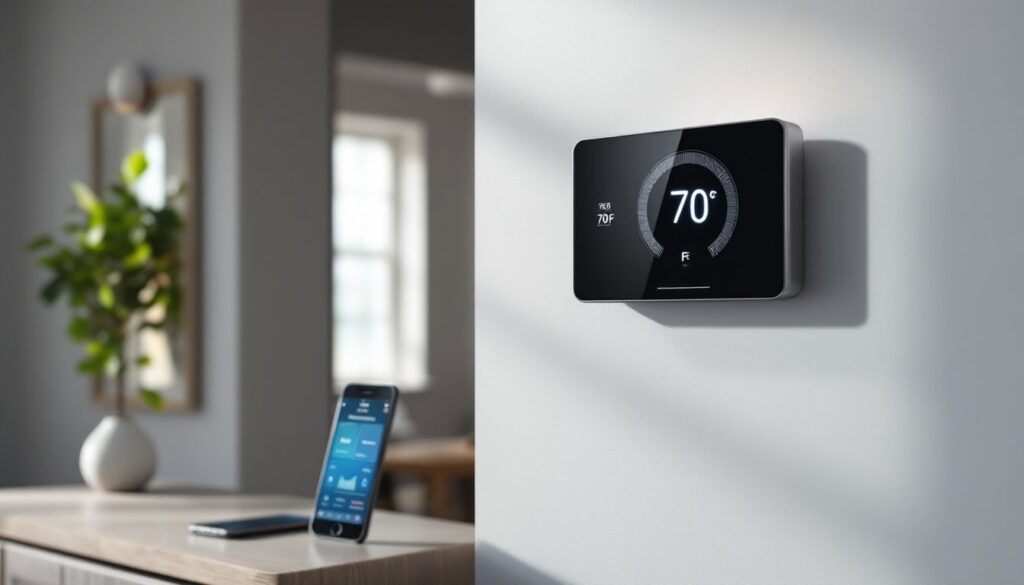
A smart thermostat isn’t just a programmable timer with a touch screen. It’s a network-connected control hub that actively monitors your home’s climate, learns from your behavior, and adjusts heating and cooling in real time. Unlike traditional thermostats that wait for you to adjust the dial, smart models collect data from sensors, interpret your patterns, and optimize HVAC performance without daily input. For homeowners looking to cut energy costs and streamline comfort, understanding how these devices work, from the sensors and algorithms to the wireless protocols, helps you choose the right model and get the most from your investment.
Table of Contents
ToggleKey Takeaways
- A smart thermostat actively monitors your home’s climate and learns from your behavior to optimize HVAC performance in real time, unlike traditional programmable models that rely on fixed schedules.
- Smart thermostats use sensors, cloud-based machine learning, and occupancy detection (geofencing or motion sensors) to automatically adjust heating and cooling based on your patterns and environmental data.
- The EPA estimates that proper use of a smart thermostat can save homeowners around 8% or more on heating and cooling bills through setback automation, smart recovery, and real-time optimization.
- Wi-Fi connectivity enables remote app control, voice commands, and energy reporting, though the thermostat continues running on local schedules if your internet connection drops.
- Most smart thermostats support DIY installation on standard 24-volt HVAC systems, but you’ll need a C-wire connection, a C-wire adapter, or a power-stealing model to ensure proper operation.
- Manual adjustments feed back into the learning algorithm, allowing the thermostat to gradually adopt your preferences over time and reduce the need for daily temperature tweaks.
What Is a Smart Thermostat and What Makes It ‘Smart’?
A smart thermostat is a Wi-Fi-enabled climate control device that replaces your existing thermostat and communicates with your HVAC system, smartphone app, and often other smart home devices. The “smart” designation comes from three core capabilities: remote access, adaptive learning, and automation based on occupancy or environmental data.
Traditional programmable thermostats let you set a fixed schedule, 70°F at 6 a.m., 62°F at 9 a.m., but they don’t adjust if you leave early or come home late. Smart thermostats track when the house is occupied, recognize patterns over days or weeks, and modify heating or cooling cycles to match actual usage. Some models use motion sensors, geofencing (detecting when your phone leaves a set radius), or integration with door/window sensors to trigger temperature changes.
The physical hardware resembles a standard digital thermostat with a backlit display, touch interface, or click wheel. Inside, it houses a microprocessor, temperature and humidity sensors, and a Wi-Fi or Zigbee radio. Most units draw power from the HVAC system’s 24-volt C-wire (common wire), though some models include rechargeable batteries or power-stealing circuitry if a C-wire isn’t available. Installation footprint is usually compatible with existing wall plates, but wiring requirements vary by brand.
The Core Technology Behind Smart Thermostats
Sensors and Data Collection
Smart thermostats rely on an array of onboard sensors to measure ambient temperature, humidity, and in some models, occupancy or light levels. High-end units may include a remote sensor you place in a bedroom or hallway to average readings across multiple zones, preventing the thermostat from over-conditioning spaces near the main unit.
Temperature sensors are typically thermistors or digital ICs accurate to ±1°F, sampled every few seconds. Humidity sensors (capacitive hygrometers) help the system decide when to run the fan for air circulation or trigger a humidifier/dehumidifier accessory. Occupancy detection uses passive infrared (PIR) motion sensors or, in advanced models, millimeter-wave radar to detect presence without line-of-sight. The thermostat logs this data locally and uploads summaries to the cloud, where machine-learning algorithms analyze patterns.
Some thermostats also pull external data, local weather forecasts, utility rate schedules, or outdoor temperature from nearby weather stations, to pre-cool a home before peak electricity rates kick in or delay heating if an overnight warm front is expected. This blend of local and cloud-based data is what drives the “learning” behavior.
Wi-Fi Connectivity and App Control
Every smart thermostat connects to your home network over 2.4 GHz Wi-Fi (some newer models support 5 GHz or dual-band). Once connected, the device registers with the manufacturer’s cloud service, allowing the companion app (iOS, Android, or web portal) to send temperature commands, update schedules, and display energy reports.
The app communicates with the thermostat via secure HTTPS or encrypted proprietary protocols. When you adjust the setpoint from your phone, that command travels to the cloud server, which pushes it to the thermostat. Latency is usually under two seconds on a stable connection. Most brands also offer voice control through Amazon Alexa, Google Assistant, or Apple HomeKit, routing commands through the same cloud infrastructure.
Local control remains functional if your internet drops, the thermostat continues running its last schedule and sensor-based automation. But, remote access, weather data, and app-based energy reports require an active connection. Some models cache limited data during outages and sync when connectivity returns.
How Smart Thermostats Learn Your Preferences and Schedule
Learning algorithms start with a blank slate, monitoring manual adjustments and occupancy for the first week or two. If a homeowner lowers the temperature to 68°F every weekday at 10 p.m., the thermostat flags that pattern. After several repetitions, it auto-suggests or automatically implements the change, depending on the model’s settings.
The system tracks variables like day of the week, time of day, manual overrides, and whether anyone is home. Advanced models layer in external factors, outdoor temperature, solar load (time of sunrise/sunset), and even pollen counts if integrated with air-quality accessories. The algorithm balances comfort with efficiency, avoiding excessive heating or cooling cycles that waste energy.
Geofencing refines learning by using smartphone location. When the last household member’s phone exits a virtual perimeter (typically a 1–7 mile radius you set in the app), the thermostat switches to an “away” mode, reducing heating or cooling. When the first person re-enters the zone, motion detection and scheduling features trigger a return to the home setpoint, aiming to reach target temperature by the time you walk in.
Manual overrides feed back into the learning model. If you consistently bump the evening setpoint from 70°F to 72°F, the thermostat will eventually adopt 72°F as the new baseline. Some systems ask for confirmation (“We noticed you prefer 72°F in the evening, should we update your schedule?”) to avoid locking in one-off changes.
Over months, the algorithm refines its predictions, reducing the number of manual tweaks needed. Performance depends on household consistency, irregular schedules or multiple occupants with conflicting preferences can confuse the learning engine. In those cases, manually setting a base schedule and letting the system optimize around it works better than pure auto-learning.
Energy-Saving Features That Lower Your Bills
Smart thermostats cut energy costs through a combination of setback automation, HVAC runtime optimization, and usage reporting. The EPA estimates that proper use of a programmable or smart thermostat can save homeowners around 8% on heating and cooling bills, with smart models often exceeding that figure by adapting to real-time conditions.
Setback scheduling automatically reduces heating or cooling when the home is unoccupied or during sleep hours. Instead of maintaining 70°F around the clock, the system might drop to 62°F during work hours and 65°F overnight, then pre-heat before you wake. Experts who study how smart thermostats save money note that pre-conditioning prevents the HVAC from running full blast at the last minute, which is less efficient than gradual adjustments.
Runtime reports and alerts show how many hours per day your furnace or air conditioner ran, flag unusual spikes (a sign of equipment trouble or poor insulation), and compare your usage to similar homes or historical data. Some models integrate with utility demand-response programs, allowing the power company to nudge your setpoint up by a degree or two during peak load events in exchange for rebates.
Humidity control prevents over-cooling in summer (high humidity makes 74°F feel warmer than dry 74°F) and over-heating in winter (low humidity makes 68°F feel colder). By running the fan or cycling the compressor strategically, the thermostat maintains perceived comfort at a lower energy cost.
Smart recovery calculates how long your HVAC needs to reach the target temperature and starts early, avoiding energy-wasting “rush” cycles. If it takes 45 minutes to warm the house from 62°F to 70°F, the system begins at 6:15 a.m. for a 7 a.m. wake time, running the furnace at a steady, efficient rate instead of maximum output.
Installation and Compatibility with Your HVAC System
Most smart thermostats are designed for DIY installation and work with standard 24-volt HVAC systems, gas furnaces, central air, heat pumps, boilers with zone valves, and multi-stage systems. Before purchasing, check the manufacturer’s compatibility tool (usually a web form or app where you enter your existing thermostat’s wire labels).
Common wiring configurations:
- R (or Rh/Rc): 24V power from the transformer
- C (common): Return path for 24V power: required by most smart thermostats
- W (or W1/W2): Heat (single- or dual-stage)
- Y (or Y1/Y2): Cooling (single- or dual-stage)
- G: Fan
- O/B: Reversing valve for heat pumps
If your old thermostat lacks a C-wire, you have three options: run a new wire from the furnace control board (easiest if you have an unused conductor in the existing cable), install a C-wire adapter kit (often included with the thermostat), or choose a model that supports power-stealing or battery backup. Power-stealing works by pulsing small amounts of current through the other wires when the system is off, but it can cause compatibility issues with some HVAC boards.
Installation steps:
- Turn off power at the breaker or furnace switch. Verify with a non-contact voltage tester.
- Remove the old thermostat face and label each wire with the terminal letter (use painter’s tape or the stickers included with the new unit).
- Disconnect wires and remove the old base plate.
- Level and mount the new base plate, routing wires through the opening.
- Connect wires to matching terminals. If installing a C-wire adapter, follow the manufacturer’s diagram (usually involves connecting an extra wire at the furnace and at the thermostat).
- Snap on the new thermostat, restore power, and follow the on-screen setup (Wi-Fi pairing, system type selection).
- Run a test cycle for heat and cool to confirm wiring.
Safety notes: Thermostat wiring is low-voltage and generally safe, but always verify power is off. Wear safety glasses if drilling into drywall (dust protection). If your system uses high-voltage line-voltage thermostats (120V or 240V baseboard heaters), a standard smart thermostat won’t work, you’ll need a line-voltage smart model or a relay interface.
Professional installation is recommended if you have a multi-zone system, hydronic radiant heat, or if you’re uncomfortable working with wiring. Many HVAC contractors charge $100–$200 for thermostat installation, which includes verifying compatibility and testing system operation. Some utility companies or thermostat manufacturers offer rebates that cover part or all of the installation cost.
Permit requirements: Replacing a thermostat is considered maintenance or repair in most jurisdictions and does not require a permit. But, running new low-voltage wiring or modifying the HVAC control board may trigger inspection requirements, check local codes if you’re doing extensive rewiring.


