
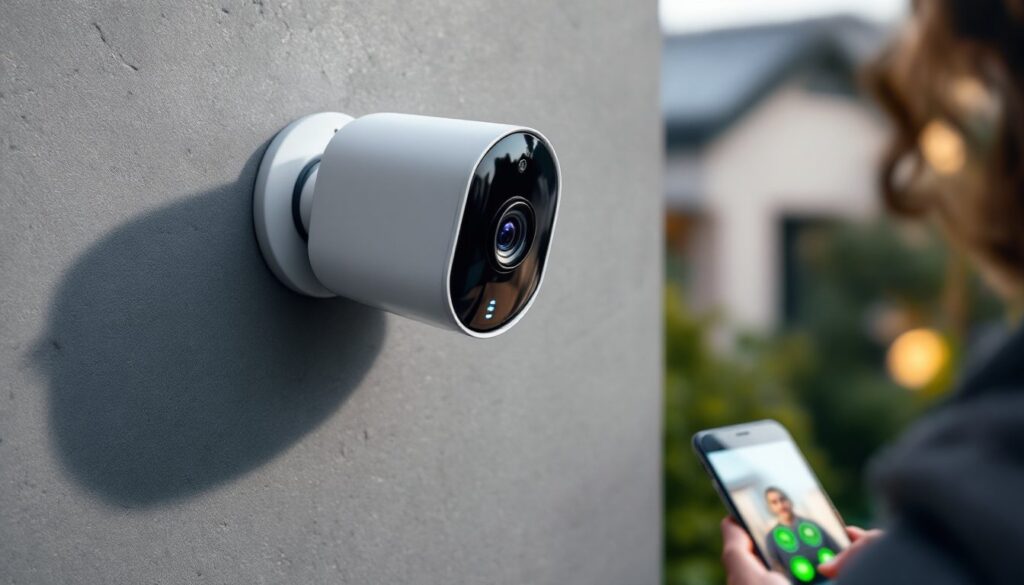
Security cameras aren’t the grainy, single-purpose boxes they used to be. Today’s hi-tech models pack AI detection, smartphone integration, and cloud storage into weather-resistant housings smaller than a coffee mug. Whether you’re keeping tabs on package deliveries, monitoring a rental property, or adding a layer of security to your front door, the right camera can tie into your existing smart home setup and alert you the moment something’s off. This guide cuts through the marketing hype and walks through what actually matters when choosing and installing modern security cameras for your home.
Table of Contents
ToggleKey Takeaways
- Modern hi-tech security cameras use AI-powered object recognition to distinguish between people, pets, vehicles, and environmental movement, significantly reducing false alarms compared to basic motion detection.
- Choose between cloud storage (convenient but subscription-based at $3–$20/month) or local storage (no recurring fees but requires manual configuration for remote access) based on your security needs and budget.
- Wired PoE cameras deliver the most reliable performance for permanent installations, while battery-powered and plug-in models offer flexibility for renters and temporary setups.
- Proper installation at 7–8 feet height with a downward angle, combined with secure anchoring and neat cable routing, ensures both optimal facial recognition performance and professional aesthetics.
- Integrate your hi-tech security camera with smart home ecosystems (Alexa, Google Home, HomeKit) to automate lighting, locks, and notifications while maintaining strong security practices like two-factor authentication and unique passwords.
What Makes a Security Camera ‘Hi-Tech’?
A hi-tech security camera goes beyond basic motion-triggered recording. It uses onboard processors or cloud-based algorithms to distinguish between a person, a pet, a vehicle, and swaying tree branches. Most communicate over Wi-Fi 5 (802.11ac) or Wi-Fi 6, streaming 1080p or 4K video to your phone in near real-time.
Key technical upgrades that separate hi-tech models from older analog or basic IP cameras include:
- AI-powered object recognition (person detection, package detection, facial recognition)
- Two-way audio with noise cancellation
- Night vision using infrared LEDs or full-color spotlight modes
- Wide dynamic range (WDR) to handle bright sunlight and shadows in the same frame
- Edge computing for faster local processing without constant cloud dependence
- IFTTT or smart home platform integration (Alexa, Google Home, HomeKit)
These features require more processing power, so expect cameras with quad-core processors and at least 2GB RAM for smooth performance. Battery-powered models often scale back video resolution or frame rate to preserve charge, so wired or PoE (Power over Ethernet) cameras deliver more consistent performance if you can run the cable.
Key Features to Look for in Modern Hi-Tech Security Cameras
Not every feature matters for every install. A front-porch camera needs different capabilities than a garage or backyard unit. Focus on the specs that match your use case.
AI-Powered Detection and Smart Alerts
Standard motion detection triggers on anything that moves, leaves, headlights, cats. AI detection filters out the noise. Modern cameras use machine learning models trained on millions of images to recognize people, animals, vehicles, and specific objects like delivered packages.
Person detection is now table stakes on mid-range models. More advanced cameras offer facial recognition (storing known faces locally or in the cloud) and activity zones that let you draw boundaries on the camera’s field of view. If someone crosses your driveway but not your porch, the camera won’t alert you.
Some models can differentiate between familiar faces and strangers, reducing false alarms when family members come home. This requires a subscription on most platforms, but it’s worth the cost if you’re tired of dozens of daily notifications.
Tip: Test the camera’s detection settings during daylight and at night. Infrared mode changes contrast and can cause more false positives.
Cloud Storage vs. Local Storage Options
Footage has to go somewhere. Your two main options are cloud storage (subscription-based, accessible anywhere) and local storage (microSD card or network-attached storage, no monthly fee).
Cloud storage automatically uploads clips when motion is detected. Companies like Ring, Nest, and Arlo charge $3–$10/month per camera or $10–$20/month for unlimited cameras. You get remote access, automatic backups, and extended retention (usually 30–60 days). The downside: ongoing cost, dependency on internet uptime, and privacy concerns if the service is breached.
Local storage uses a microSD card (typically 32GB–256GB) or a network video recorder (NVR). Many cameras from Reolink, Eufy, and TP-Link support local recording with no subscription. You lose remote access unless you configure port forwarding or a VPN, and if someone steals the camera or NVR, your footage goes with it.
Hybrid setups offer the best of both: continuous local recording with cloud backup for critical events. Compare the five-year cost of a subscription against the upfront price difference when budgeting.
Best Hi-Tech Security Camera Types for Different Home Needs
Choose form factor based on install location, power access, and what you’re monitoring.
Wired PoE cameras deliver the most reliable performance. A single Cat5e or Cat6 cable supplies both power and data, eliminating battery swaps and Wi-Fi dropout. Ideal for permanent installs on eaves, garages, or anywhere you can run cable through an attic or crawlspace. You’ll need a PoE switch or NVR to power them. Brands like Reolink and Amcrest dominate this category.
Battery-powered wireless cameras install in minutes with a mounting bracket and two screws. They’re perfect for renters, temporary setups, or spots with no electrical access. Expect 2–6 months per charge depending on traffic and settings. Popular battery cameras include models that integrate with platforms reviewed on sites covering home security cameras in 2026. Just know that cold weather cuts battery life by 30–50%.
Plug-in Wi-Fi cameras are the middle ground. Mount them near an outdoor outlet or use a weatherproof extension cord. No battery anxiety, no cable runs. They’re common for doorbell cameras, floodlight cams, and patio monitors.
Pan-tilt-zoom (PTZ) cameras offer remote control of viewing angle and optical zoom. Useful for large yards or driveways where a fixed lens won’t cover everything. They cost more and require mounting on a stable surface to avoid vibration.
Doorbell cameras combine a camera, motion sensor, and chime in one unit. They replace your existing wired doorbell or run on battery. Most integrate with existing chime systems using a low-voltage transformer.
Installation Tips: DIY Setup for Hi-Tech Security Cameras
Most hi-tech cameras are designed for DIY install. You’ll need basic hand tools and about an hour per camera.
Tools and materials:
- Cordless drill with bits for your siding type (masonry bit for brick/stucco, standard twist bit for wood)
- Screwdriver set
- Ladder rated for your weight plus 50 lbs
- Weatherproof cable clips or conduit if running outdoor cable
- Silicone caulk for sealing screw holes
- Voltage tester if tapping into existing doorbell wiring
Step-by-step for a typical wall-mount camera:
- Choose the mounting height. For facial recognition, aim for 7–8 feet off the ground with a slight downward angle. Higher mounts capture broader areas but lose detail on faces.
- Check Wi-Fi signal strength at the install location using your phone. Weak signal means laggy video or dropped connections. Consider a Wi-Fi extender or mesh node if needed.
- Mark screw holes using the camera’s mounting template. Use a level to keep the camera straight, tilted footage looks amateurish and messes with motion detection zones.
- Drill pilot holes. Use #8 anchors in drywall or siding, concrete anchors in masonry. Don’t skip this, cameras mounted with screws alone will pull out in wind or if bumped.
- Route cables neatly. If running a power cable, use a ¾-inch hole saw to pass it through the wall and seal the entry with silicone. Secure outdoor cable runs with UV-resistant cable clips every 12–18 inches.
- Mount the camera and hand-tighten screws. Don’t overtighten, you can crack the housing.
- Power on and connect to your Wi-Fi network using the manufacturer’s app. Most cameras use a QR code scan or Bluetooth pairing for initial setup.
- Adjust the view and detection zones in the app. Walk through the camera’s field of view to test motion alerts.
Safety note: Wear safety glasses when drilling overhead. If working above 10 feet or on a steep roof, hire a professional, falls are the leading cause of DIY injuries.
Permit check: Most jurisdictions don’t require permits for surface-mounted security cameras, but if you’re running new low-voltage wiring inside walls or tapping into household electrical, check with your local building department.
Integrating Security Cameras with Your Smart Home Ecosystem
Hi-tech cameras earn their keep when they talk to the rest of your smart home. Integration turns a passive recorder into an active part of your security and automation routines.
Voice assistant compatibility lets you pull up live feeds on smart displays. “Hey Google, show the front door” displays your doorbell camera on a Nest Hub. Alexa works similarly with Ring and Blink cameras. Apple HomeKit Secure Video offers end-to-end encryption but limits camera choices, Logitech, Eufy, and Aqara are the main players.
Automation triggers tie cameras to other devices. Set your camera to turn on outdoor lights when motion is detected after sunset. Or configure your smart lock to disarm the camera when you unlock the door. Platforms like CNET regularly cover smart home automation setups that link cameras with lighting, locks, and sensors for layered security.
IFTTT (If This Then That) expands integration beyond native ecosystems. Create applets like “If front camera detects a person, send me a text and flash my Hue lights red.” It’s overkill for some, but useful if you have a mix of incompatible brands.
NVR and home server options appeal to tech-savvy homeowners. Software like Blue Iris or Frigate (open-source, runs on a Raspberry Pi) lets you manage multiple camera brands in one interface with local AI detection. You’ll need a dedicated PC or NVR running 24/7, but you gain full control over footage and zero subscription fees.
Privacy zones let you mask areas the camera shouldn’t record, neighbor’s windows, public sidewalks, or your own backyard hot tub. Configure these in the app before you go live. Many municipalities have laws about recording audio in public spaces, so disable microphone recording if your camera faces the street.
Two-factor authentication (2FA) is non-negotiable. Enable it on every camera account. Breached camera feeds show up on sketchy websites weekly, don’t make it easy. Use a unique, strong password for your camera app, not the same one you use for email. Resources on smart home security practices frequently emphasize the importance of securing connected devices against unauthorized access.
Test your entire system quarterly. Walk through detection zones, verify alerts reach your phone, and check that recordings are actually saving. A camera that doesn’t record when it matters is just an expensive decoration.


