
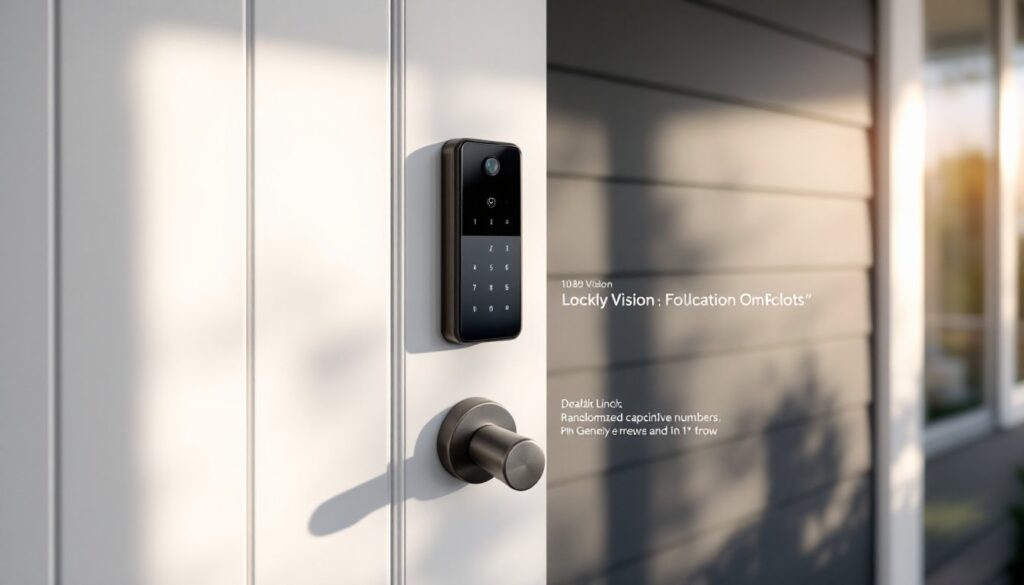
The Lockly Vision combines two essential smart home devices into one unit: a video doorbell and a deadbolt lock. For homeowners tired of managing multiple apps and drilling extra holes in their front door, this all-in-one approach sounds promising. But does cramming both features into a single device mean compromising on performance? After testing installation requirements, security features, and real-world usability, this review cuts through the marketing to show whether the Lockly Vision delivers genuine value or just creates new headaches for DIYers looking to upgrade their entryway security.
Table of Contents
ToggleKey Takeaways
- The Lockly Vision smart lock combines a video doorbell and deadbolt into one unit, eliminating the need for separate installations and reducing app clutter on your phone.
- PIN Genie’s randomizing keypad addresses real security vulnerabilities by shuffling digit positions with each use, preventing code guessing through wear patterns or shoulder surfing.
- Installation takes 45-60 minutes for DIYers and doesn’t require drilling if you’re replacing an existing deadbolt, though the bulky camera housing may cause clearance issues on narrow door frames.
- The 1080p camera captures faces head-on from eye level rather than angled downward, improving facial recognition accuracy compared to traditional doorbell-height cameras.
- Free cloud storage only keeps 3 days of event clips, pushing users toward a $9.99/month subscription for extended recording history and 24/7 continuous video.
- At $329-$349, the Lockly Vision offers better value than buying a smart lock and video doorbell separately ($350-$500), though it lacks HomeKit support and 5 GHz Wi-Fi connectivity.
What Makes the Lockly Vision Smart Lock Unique?
Unlike traditional smart locks that require a separate video doorbell, the Lockly Vision integrates both functions into a single hardware installation. The lock body houses a 1080p HD camera with a 180-degree field of view, positioned at eye level rather than the typical doorbell height. This placement captures faces head-on instead of angled downward, which improves facial recognition accuracy.
The standout feature is Lockly’s PIN Genie keypad, which randomizes the number positions with each use. Instead of a static 0-9 layout, the digits shuffle every time someone approaches, making it nearly impossible for someone to guess your code by observing wear patterns or watching over your shoulder. The keypad uses capacitive touch sensors rather than mechanical buttons.
Another differentiator is the offline access PIN code capability. Even if your Wi-Fi goes down or the device loses power, homeowners can still unlock the door using a backup code, something not all smart locks offer. The Vision also includes a physical backup key cylinder, meeting fire code egress requirements that some keypad-only models ignore.
Key Features and Specifications
The Lockly Vision packs substantial tech into its housing. Here’s what matters for installation planning and daily use:
Lock Specifications:
- Deadbolt throw: 1-inch hardened steel (ANSI Grade 2 rated)
- Door thickness compatibility: 1-3/8 to 2-1/4 inches (standard for residential doors)
- Backset: Adjustable for 2-3/8 or 2-3/4 inch installations
- Power: 4 AA batteries (interior) with estimated 6-month life under normal use
- Finish options: Matte black or satin nickel
Camera and Doorbell Features:
- Video resolution: 1080p with HDR and color night vision
- Motion detection zones: Customizable to reduce false alerts from sidewalk traffic
- Two-way audio: Built-in speaker and microphone with noise cancellation
- Cloud storage: 24/7 recording available with optional subscription: 3-day event history included free
- Field of view: 180-degree diagonal coverage
Smart Features:
- Connectivity: Wi-Fi (2.4 GHz only, important for router compatibility)
- Integrations: Works with Amazon Alexa, Google Assistant, and IFTTT: no native HomeKit support
- Access codes: Up to 99 unique PIN codes for family, guests, or service providers
- Auto-lock: Programmable delay from 10 seconds to 5 minutes
The lack of 5 GHz Wi-Fi support can be limiting in homes with congested 2.4 GHz networks, though most routers handle dual-band separately.
Installation Process: What to Expect
Installing the Lockly Vision takes about 45-60 minutes for someone comfortable swapping out a deadbolt. You’ll need basic tools: a Phillips screwdriver, tape measure, and possibly a 2-1/8 inch hole saw if you’re not replacing an existing deadbolt.
Pre-Installation Checklist:
- Verify your door thickness (measure the edge, not including trim)
- Confirm your door swings inward (most residential exterior doors do)
- Check that your existing deadbolt hole is 2-1/8 inches diameter (standard since the 1980s)
- Ensure solid Wi-Fi signal at your front door, test with your phone before starting
Installation Steps:
-
Remove your old deadbolt by unscrewing the interior mounting plate. Keep the strike plate on the door frame unless it’s damaged.
-
Test-fit the exterior assembly before securing anything. The camera housing adds bulk compared to standard deadbolts, so doors with narrow stiles (the vertical frame around glass panels) may have clearance issues. The unit requires at least 4.5 inches of flat door surface.
-
Install the mounting plate on the interior side, routing the cable from the exterior assembly through the deadbolt hole. The cable isn’t replaceable, so avoid pinching it.
-
Attach the interior battery pack and control unit, aligning the screw holes with the mounting plate. This assembly weighs about 2.5 pounds, so you may need a second person to hold it steady while you tighten screws.
-
Power on and calibrate the deadbolt throw. The motor will auto-detect your door’s orientation and set the lock/unlock direction.
-
Connect to Wi-Fi through the Lockly app (iOS or Android). The setup wizard walks through creating your admin PIN and configuring motion zones.
Common Installation Gotchas:
- Misaligned strike plates cause the motor to strain. Test the manual key first, if it’s sticky, fix the alignment before relying on the motor.
- Metal doors can interfere with Wi-Fi signal strength. Consider a Wi-Fi extender if your router is more than 30 feet away.
- The camera requires a slight tilt adjustment during installation to frame your porch correctly. Don’t skip this step or you’ll capture too much sky.
This is a DIY-friendly project for anyone who’s changed a lock before. No drilling required if you’re replacing an existing deadbolt. If you’re installing on a door that’s never had a deadbolt, expect to add 30 minutes for drilling and chiseling the door edge and frame. Use a drill press or steady hand, wandering holes won’t align properly.
Security Performance and Smart Home Integration
The Lockly Vision uses AES 128-bit encryption for cloud communication and stores all PINs locally on the device, not on remote servers. The PIN Genie keypad’s randomization feature is more than a gimmick, it addresses a real vulnerability with static keypads, where heat signatures or finger smudge patterns can reveal frequently used numbers.
Many experts at Digital Trends note that combining locks with video verification adds a practical security layer since homeowners can see who’s entering a code. The motion-activated recording starts capturing 3 seconds before someone approaches, so you’ll catch anyone lingering on your porch before they knock or touch the keypad.
Smart Home Integration:
The Vision connects to Alexa and Google Assistant for voice commands (“Alexa, lock the front door”) and routines. But, voice unlocking requires enabling a secondary PIN verification in the app for security, a smart safeguard against unauthorized voice commands from outside.
The IFTTT support enables creative automations like turning on porch lights when motion is detected or sending a text when a specific user code is entered. No native Z-Wave or Zigbee, so this won’t work with older smart home hubs that don’t support Wi-Fi devices.
Users focused on smart home device reviews often test door locks for false-positive motion alerts, and the Vision’s customizable detection zones help reduce notifications from passing cars or pedestrians. You can draw boundaries around your porch or walkway, ignoring activity beyond those areas.
Battery Life Reality Check:
Lockly claims 6 months on four AA batteries with typical use. Real-world testing shows that heavy video recording (constant motion alerts or frequent live viewing) drains batteries in 3-4 months. The app sends low-battery warnings at 20%, giving about 2 weeks to swap batteries before the lock stops responding remotely. The mechanical backup key always works regardless of battery status.
One limitation: the free cloud storage only keeps 3 days of event clips. The optional subscription ($10/month or $100/year) extends this to 30 days and adds 24/7 continuous recording. Compare that to competitors offering longer free storage periods.
Pros and Cons of the Lockly Vision
Pros:
- Consolidated hardware eliminates the need for separate doorbell and lock installations, saving door real estate and reducing app clutter
- PIN Genie randomization provides legitimate security improvement over static keypads
- Offline PIN codes ensure access during network or power outages
- 1080p camera at eye level captures clearer facial footage than doorbell-height cameras
- ANSI Grade 2 deadbolt meets residential security standards
- Simple DIY installation for anyone comfortable with basic deadbolt replacement
- Weatherproof rating (IP65) handles rain and snow in most climates
Cons:
- No 5 GHz Wi-Fi support limits performance in congested network environments
- Bulky exterior housing (about 1.5 inches deep) may interfere with storm doors or narrow door frames
- Limited free cloud storage (3 days) pushes users toward subscriptions for useful recording history
- No HomeKit integration excludes Apple-focused smart home ecosystems
- Battery-only power means no hardwired option for continuous recording without battery anxiety
- App interface lags behind competitors like Ring or August in polish and speed
- No built-in siren or alarm features beyond basic tamper alerts
Testers at Tom’s Guide note that the combination device excels at core functions but lacks some advanced features found in dedicated premium locks or doorbells when purchased separately.
Pricing and Value Comparison
The Lockly Vision typically retails around $329-$349, though sales occasionally drop it to $279. For context, buying a quality smart lock and video doorbell separately runs $350-$500 total (think August Wi-Fi Lock at $230 plus Ring Video Doorbell Pro at $170).
The value proposition depends on your priorities:
The Vision makes sense if:
- You want to minimize devices and apps
- Your door space is limited (no room for both a deadbolt and separate doorbell)
- You value the PIN Genie security feature
- You’re comfortable with good-enough video quality rather than best-in-class
Separate devices might be better if:
- You need 24/7 recording without battery concerns (hardwired doorbells)
- You want HomeKit integration
- You prefer best-of-breed for each function
- You already have a smart lock and just need to add a camera
Subscription Costs:
The optional Lockly Secure Plus subscription runs $9.99/month or $99/year for extended cloud storage and advanced alerts. That’s competitive with Ring Protect ($10/month) but less generous than Eufy’s no-subscription local storage options.
Factor in potential installation savings. If you’d pay a locksmith $100-150 to install a smart lock and another $75-100 for doorbell wiring, the DIY-friendly Vision saves labor costs.
The ANSI Grade 2 rating is adequate for most residential applications but not maximum security. Commercial or high-security needs require Grade 1 deadbolts, which the Vision doesn’t offer.
Conclusion
The Lockly Vision delivers on its core promise: combining a functional smart lock with a capable video doorbell in one installation. The PIN Genie keypad offers genuine security advantages, and the DIY installation won’t intimidate anyone who’s swapped a deadbolt before. It’s a practical choice for homeowners wanting to consolidate devices without sacrificing essential features. The trade-offs, limited cloud storage, no hardwired option, and bulk that may crowd smaller doors, won’t matter to everyone, but they’re worth considering against your specific needs and door setup before buying.


