
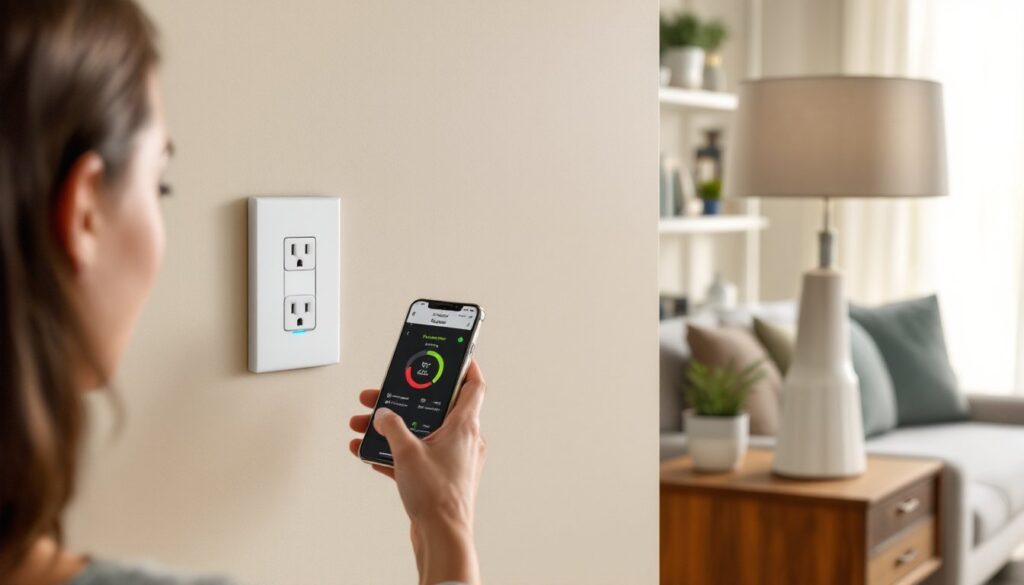
Smart outlets have moved from novelty to necessity for homeowners serious about automation. Leviton, a name that’s been synonymous with electrical components since 1906, brings over a century of manufacturing expertise to the smart home arena. Their smart outlets marry proven electrical reliability with app control, voice integration, and scheduling, no hub required in most cases. Whether you’re looking to automate holiday lights, monitor phantom power drain, or simply control a coffee maker from bed, Leviton’s lineup offers solutions that install in under 30 minutes and work with the smart home ecosystem you already own.
Table of Contents
ToggleKey Takeaways
- Leviton smart outlets eliminate the need for a proprietary hub or subscription service, requiring only your home Wi-Fi network for voice control via Alexa or Google Assistant and app-based automation.
- Installation takes under 30 minutes for most DIYers and requires only basic tools, though a neutral wire must be present in your electrical box—typically found in homes built after the 1980s.
- Select Leviton smart outlet models track real-time energy consumption to identify phantom power drain, helping homeowners reduce utility costs and improve efficiency.
- The Leviton smart outlet lineup includes hardwired models (D215S for 15A, D26HD-2RW for 20A) and plug-in versions (D215P), allowing you to choose based on installation preference, amperage requirements, and whether energy monitoring is needed.
- Away mode randomly cycles lighting and appliances when you’re on vacation to simulate occupancy, while scheduling features let you automate routines down to the minute for safety and convenience.
What Is a Leviton Smart Outlet and How Does It Work?
A Leviton smart outlet is a Wi-Fi-enabled electrical receptacle that replaces a standard 15-amp or 20-amp outlet in your home. Unlike traditional outlets, it communicates over your home’s 2.4 GHz Wi-Fi network, letting you control connected devices through a smartphone app, voice commands via Alexa or Google Assistant, or automated schedules.
Most Leviton smart outlets are decora-style (the rectangular rocker profile), not the older duplex design with two round openings. They fit standard single-gang electrical boxes and require a neutral wire, which is present in most homes built after the 1980s. Older homes may lack a neutral in switch boxes but typically have them at outlet locations.
The outlet connects to the My Leviton app (iOS and Android) during initial setup. Once paired, the app sends commands over your home network to the outlet’s onboard Wi-Fi radio, which toggles the relay inside. That relay physically opens or closes the circuit, turning power on or off to whatever’s plugged in. No proprietary hub, bridge, or subscription service is required, just a standard home router.
Some models, like the Decora Smart Wi-Fi Plug-In Outlet, don’t require any wiring at all. You simply plug the module into an existing outlet, then plug your device into the module. This is ideal for renters or anyone who wants smart control without opening a wall box.
Key Features and Benefits of Leviton Smart Outlets
Voice Control and App Integration
Leviton smart outlets integrate natively with Amazon Alexa, Google Assistant, and (on select models) Apple HomeKit. Once linked, voice commands like “Alexa, turn off the living room lamp” work instantly. You can also create routines: for example, “Good morning” can trigger your coffee maker, while “Goodnight” kills power to all entertainment devices.
The My Leviton app is the command center. It allows you to name each outlet, group multiple outlets into rooms, and trigger them together. The interface is straightforward, no learning curve if you’ve used any other smart home app. Firmware updates roll out automatically, which is critical for security patches and new feature support.
One often-overlooked benefit: away mode. This randomizes your lighting schedule when you’re on vacation, cycling lamps and radios on and off to simulate occupancy. It’s more convincing than a basic timer and smart wall outlets in multiple rooms can coordinate patterns across your home.
Energy Monitoring and Scheduling Capabilities
Select Leviton models, such as the Decora Smart Wi-Fi Plug-In Outlet with Energy Monitoring, track real-time and historical power consumption. The app displays wattage, estimated monthly cost, and cumulative kWh usage. This is invaluable for identifying phantom loads, devices that pull power even when “off,” like older TVs, cable boxes, and chargers.
Scheduling lets you set recurring on/off times down to the minute. Run a dehumidifier only during off-peak utility hours, fire up a block heater 30 minutes before you leave for work, or ensure kids’ gaming consoles shut down at bedtime. Schedules persist even if your phone is out of range: they’re stored in the outlet’s onboard memory.
Countdown timers are another practical feature. Set a bathroom fan to run for 20 minutes after a shower, or a space heater to shut off after an hour. This reduces the risk of leaving high-draw appliances running unattended, which is both a safety and efficiency win.
How to Install a Leviton Smart Outlet: Step-by-Step DIY Guide
Safety first: Turn off power at the breaker panel. Use a non-contact voltage tester to confirm the circuit is dead before touching any wires. Wear safety glasses.
Tools and materials:
- Flathead and Phillips screwdrivers
- Wire stripper/cutter
- Non-contact voltage tester
- Needle-nose pliers
- Wire nuts (usually included)
- Electrical tape
Step-by-step installation:
- Kill the power. Flip the breaker for the outlet you’re replacing. Test with the voltage tester on both the top and bottom outlets to be sure.
- Remove the old outlet. Unscrew the cover plate, then the two screws holding the receptacle to the box. Gently pull the outlet out, keeping wires attached for now.
- Identify your wires. You should see a black (hot), white (neutral), and bare copper or green (ground). If there’s no white wire bundle in the box, stop, you’ll need a neutral for most Leviton smart outlets and may need to consult an electrician.
- Disconnect the old outlet. Loosen terminal screws or release push-in connectors. Straighten any bent wire ends.
- Prep the wires. Strip about 5/8″ of insulation from each wire if needed. Form a hook with needle-nose pliers for screw terminals, or leave straight for push-in connectors (check your model’s instructions).
- Connect the Leviton smart outlet. Attach the black wire to the brass (hot) terminal, white to silver (neutral), and ground to the green screw. Tighten screws firmly, loose connections cause arcing and heat. Some models use pigtails and wire nuts instead of direct termination: follow the included wiring diagram.
- Tuck wires into the box. Fold them in an accordion pattern so the outlet sits flush. If the box is metal, ensure no bare wire touches the sides.
- Secure the outlet. Screw the device to the box, then attach the cover plate. Leviton includes a screwless plate with most models for a cleaner look.
- Restore power. Flip the breaker back on. The outlet’s LED should blink, indicating it’s ready to pair.
- Pair with the app. Open the My Leviton app, tap “Add Device,” and follow the prompts to connect the outlet to your Wi-Fi. You’ll need your network password handy.
Permit and code notes: Replacing an existing outlet with a smart outlet is typically considered maintenance, not new work, and doesn’t require a permit in most jurisdictions. But, local codes vary. If you’re adding a new circuit or working in a kitchen, bathroom, or outdoor location, areas that require GFCI protection, consult your local building department. Leviton does not currently offer a smart GFCI outlet, so you’d need to install the smart outlet downstream of a GFCI breaker or receptacle.
Pro tip: If your box is crowded (multiple cables entering), the added bulk of the smart outlet’s Wi-Fi module can make it hard to fit. A deep single-gang box (2.5″ or 3″ deep) gives more room. Retrofit “old-work” deep boxes are available at any home center and swap in without opening drywall.
Comparing Leviton Smart Outlet Models: Which One Is Right for You?
Leviton’s smart outlet lineup can be confusing, so here’s a breakdown of the most common models as of 2026:
Decora Smart Wi-Fi 15A Outlet (D215S): The workhorse. Replaces a standard outlet, supports Alexa and Google Assistant, includes scheduling and away mode. No energy monitoring. Rated for 15 amps (1800 watts at 120V), suitable for most household loads like lamps, fans, and small appliances. Best for general automation on a budget.
Decora Smart Wi-Fi Plug-In Outlet (D215P): Plug-and-play version. No wiring required, just insert it into an existing outlet. Same app and voice control as the hardwired model. Ideal for renters, testing smart home features before committing, or controlling a single device like a window AC unit. The tradeoff: it’s bulkier and occupies both outlets on a duplex receptacle.
Decora Smart Wi-Fi Plug-In Outlet with Energy Monitoring (D26HD): Adds real-time energy tracking to the plug-in form factor. Home automation reviewers often recommend this model for anyone serious about reducing phantom loads or tracking high-draw appliances. The app displays cumulative kWh, current wattage, and estimated monthly cost based on your utility rate. Slightly more expensive, but pays for itself if you use the data to adjust usage.
Decora Smart Wi-Fi 20A Outlet (D26HD-2RW): Heavier-duty version rated for 20 amps (2400 watts). Required for tools, shop equipment, or any appliance drawing over 1800 watts. Must be installed on a 20-amp circuit with 12-gauge wire, putting a 20A receptacle on a 15A circuit violates NEC Article 210.21(B)(1). Check your breaker and wire gauge before ordering.
HomeKit-compatible models (DH15S, DH6HD): For Apple ecosystem users. These use Apple’s HomeKit protocol, which requires a Home Hub (HomePod, Apple TV, or iPad) for remote access but offers end-to-end encryption. Setup involves scanning a code rather than entering Wi-Fi credentials. Smart home enthusiasts note that HomeKit devices tend to have faster response times on local networks due to tighter integration.
Which one to choose?
- Living rooms, bedrooms, home offices: D215S (hardwired) or D215P (plug-in) will handle lamps, chargers, and electronics.
- Tracking energy hogs: D26HD plug-in with monitoring for refrigerators, freezers, or entertainment centers.
- Workshops, garages, kitchens: D26HD-2RW 20A model if the circuit supports it.
- Apple users: DH15S for Siri control and HomeKit automation.
All models work without a subscription. Updates and cloud features remain free, which isn’t always the case with competitors. Tech reviewers consistently highlight Leviton’s lack of recurring fees as a major selling point compared to brands like Wemo or TP-Link Kasa that push premium tiers.
Conclusion
Leviton smart outlets deliver the trifecta DIYers want: straightforward installation, rock-solid reliability, and no monthly fees. Whether you’re automating a single lamp or outfitting an entire home, the combination of app control, voice integration, and optional energy monitoring makes them a practical upgrade that pays dividends in convenience and efficiency.


