
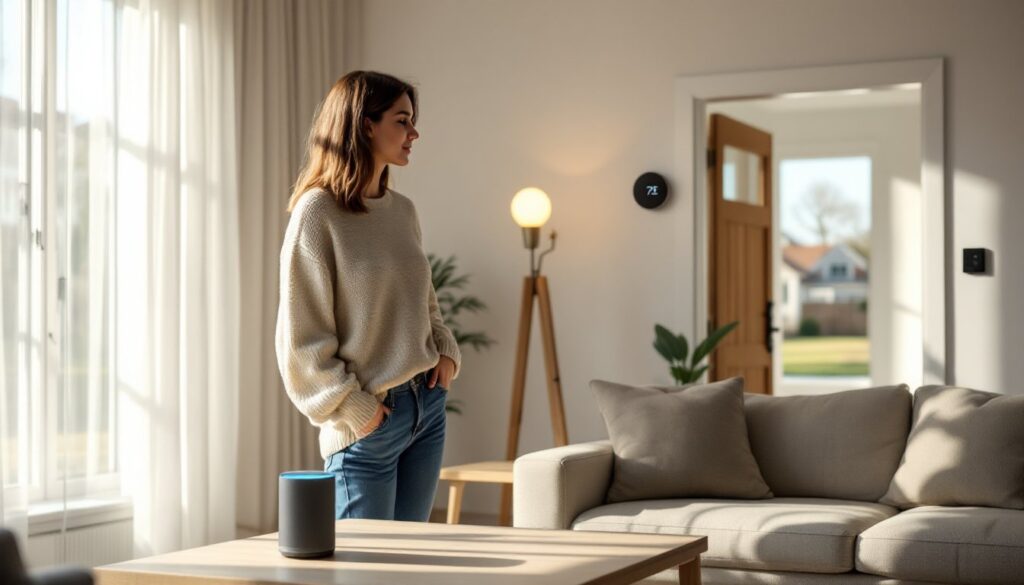
Smart home tech isn’t just about convenience, it’s about taking control of your space in ways that weren’t possible a decade ago. Whether you’re looking to cut energy costs, boost security, or just stop fumbling for light switches in the dark, today’s devices deliver real, measurable improvements. The best part? Installation for most of these upgrades doesn’t require an electrician’s license or a computer science degree. You’ll need basic tools, a stable Wi-Fi network, and a willingness to spend an hour or two setting things up. Here’s what actually works in 2026.
Table of Contents
ToggleKey Takeaways
- Smart home tech delivers measurable savings—smart thermostats alone cut heating and cooling costs by 10–23% annually, with most upgrades paying for themselves within 1–2 years.
- Best smart home tech for security combines three layers: video doorbells, motion-activated cameras, and smart locks, each installed easily without professional help in most cases.
- Check device compatibility with your existing ecosystem (Google Home, Amazon Alexa, or Apple HomeKit) before purchasing, as a device that won’t integrate is just an expensive gadget.
- Smart lighting saves money fast—LED smart bulbs cost about $14/year to run versus $85 for incandescent bulbs, and motion sensors plus geofencing further reduce energy waste.
- Prioritize high-impact, budget-friendly upgrades like leak detectors ($25–50), smart plugs, and video doorbells over expensive appliances like smart refrigerators, which offer weak ROI for most households.
- Always hire a licensed professional for gas lines, 120V+ wiring, and complex HVAC installations—DIY mistakes can damage equipment, void warranties, or create safety hazards.
Why Smart Home Technology Is Worth the Investment
The upfront cost of smart devices can feel steep, expect to spend anywhere from $30 for a smart plug to $250+ for a quality thermostat. But the return shows up fast. Smart thermostats alone can cut heating and cooling costs by 10–23% annually, according to EPA estimates. That’s $130 to $300 back in your pocket each year for the average U.S. home.
Beyond dollars saved, smart tech gives you control from anywhere. Forgot to lock the front door? Check and secure it from your phone. Want to preheat the oven on your drive home? Done. These aren’t luxuries, they’re practical tools that reduce daily friction.
Installation varies widely. Smart bulbs screw into existing sockets. Smart locks often replace a deadbolt with just a screwdriver and 20 minutes. But hardwired devices like video doorbells or smart switches may require working with 120V wiring. If you’re not comfortable killing a breaker and testing for voltage with a multimeter, hire a licensed electrician. Safety first, always.
Compatibility matters more than brand hype. Check whether a device works with your existing ecosystem (Google Home, Amazon Alexa, Apple HomeKit) before you buy. A $200 smart lock that won’t talk to your voice assistant is just an expensive manual lock.
Smart Security Systems That Actually Keep You Safe
A solid smart security setup starts with three components: a video doorbell, motion-activated cameras, and smart locks. These work together to create layers of monitoring and access control.
Video doorbells (Ring, Nest, Arlo) mount where your existing doorbell sits. Most require a 16–24V transformer and existing doorbell wiring, though battery-powered models exist. They stream live HD video to your phone and record motion events to cloud storage. Look for 1080p minimum resolution, night vision, and two-way audio. Subscription fees for cloud storage run $3–10/month.
Motion-activated cameras belong at entry points, back doors, garage doors, side gates. Wireless models install with just a drill and two screws, but you’ll need to recharge batteries every 2–4 months. Wired options (PoE cameras) require running Cat6 cable but eliminate battery hassles. Position cameras 7–9 feet high for optimal facial capture without easy tampering.
Smart locks replace your deadbolt. Measure your door’s backset (distance from door edge to center of the bore hole, usually 2-3/8″ or 2-3/4″) and cross bore diameter (usually 2-1/8″) before buying. Installation involves removing the old deadbolt, inserting the new mechanism, and syncing it to your phone via Bluetooth or Wi-Fi. Many integrate with smart home essentials to create automated entry routines.
Don’t skip this: Set unique access codes for family members, contractors, or pet sitters. Most locks log every entry and exit with a timestamp, useful for tracking who’s home and when.
Voice Assistants and Smart Speakers for Seamless Control
Voice assistants, Amazon Alexa, Google Assistant, Apple Siri, act as the central nervous system for your smart home. They tie together lights, locks, thermostats, and appliances under one voice command.
Smart speakers range from compact models ($30–50) to full-range units with premium audio ($200+). For whole-home control, place one speaker in high-traffic zones: kitchen, living room, and primary bedroom. Avoid bathrooms, humidity and electrical codes don’t mix well with always-on electronics near water sources.
Setup is plug-and-play. Download the companion app, connect to Wi-Fi, and link your devices. Most assistants auto-discover compatible gadgets on the same network. Create routines to automate sequences, “Good morning” can trigger the coffee maker, raise the blinds, and read your calendar.
Many homeowners appreciate how voice control integrates with home automation ideas for daily workflows. Privacy concerns are valid. These devices listen for wake words constantly. Use the physical mute switch when you want guaranteed silence, and regularly review voice recordings in the app settings.
Compatibility check: Not all smart devices play nicely with all assistants. Google Assistant and Alexa cover the widest range, while HomeKit (Siri) offers tighter security but fewer compatible products.
Smart Lighting Solutions to Set the Perfect Mood
Smart lighting falls into three categories: smart bulbs, smart switches, and smart plugs for lamps.
Smart bulbs (Philips Hue, LIFX, Wyze) screw into standard E26 sockets and connect via Wi-Fi or a hub. They offer full color tuning, dimming, and scheduling. Expect to pay $10–15 per bulb for white-only, $40–50 for color-changing RGB models. For whole-home coverage, costs add up fast, outfitting a 2,000-sq-ft house can run $400–800.
Smart switches replace your existing wall switch and control any bulb in that circuit. This is the better option for overhead fixtures, recessed cans, or any hard-wired light. Installation requires working with live 120V wiring. Kill the breaker, confirm it’s dead with a voltage tester, then swap the old switch for the smart one. You’ll need a neutral wire (white) in the box, older homes sometimes lack this, which limits your switch options.
Smart plugs ($8–20) turn any lamp into a controllable device. They’re the easiest entry point, just plug in and connect to your app. Use them for floor lamps, accent lighting, or holiday decorations.
Research from CNET highlights how modern lighting systems integrate with motion sensors and geofencing to reduce energy waste. Program lights to dim automatically at sunset, turn off when no motion is detected for 10 minutes, or trigger when you arrive home.
Pro tip: LED smart bulbs draw 8–12 watts versus 60W incandescent. At $0.13/kWh, running six smart bulbs 5 hours/day costs about $14/year versus $85 for old bulbs. Payback happens in under two years.
Climate Control Devices That Save Energy and Money
Smart thermostats (Nest, Ecobee, Honeywell Home) are the single highest-ROI smart home upgrade. They learn your schedule, adjust temps when you’re away, and provide energy reports.
Installation depends on your HVAC system. Most homes use low-voltage (24V) thermostat wiring with 4–8 conductors. Check for a C-wire (common wire, usually blue), it provides continuous power. If you don’t have one, you’ll need to either run new 18/8 thermostat wire from the furnace or use a C-wire adapter (included with some models). The job takes 30–45 minutes: kill power at the breaker, label existing wires, remove the old thermostat, mount the new backplate, connect wires to matching terminals, and snap on the display.
If your system uses high-voltage (120V or 240V) electric baseboard heat or a heat pump with complex wiring, hire an HVAC tech. Mistakes can fry the control board.
Smart thermostats integrate with occupancy sensors to avoid heating or cooling empty rooms. They also sync with weather forecasts to pre-cool before a heat wave or delay heating when temps will rise naturally. Homeowners exploring smart home retrofit solutions often start here because the energy savings are immediate and trackable.
Smart vents and fans take it further. Motorized register vents (Flair, Keen) open and close based on room occupancy, redirecting airflow where it’s needed. Smart ceiling fans adjust speed based on temperature. Expect to spend $60–100 per vent, $150–250 per fan.
Reality check: According to Tom’s Guide, climate devices deliver the fastest payback but require accurate installation. A poorly seated thermostat or loose wire can cause short-cycling, which wastes energy and damages equipment.
Smart Kitchen and Appliance Upgrades for Modern Living
Smart kitchen tech ranges from genuinely useful to gimmicky. Focus on devices that solve real problems.
Smart plugs and outlets turn any appliance into a controllable device. Use them for coffee makers, slow cookers, or space heaters. Program your coffee to brew at 6:30 a.m., or kill power to a forgotten curling iron from your phone.
Smart refrigerators with internal cameras let you check contents while shopping. But they cost $2,000–4,000 more than standard models. Unless you frequently overbuy groceries or have a large household, the ROI is weak.
Smart ovens and ranges (June, Tovala, GE Profile) offer remote preheat, precision temp control, and cook monitoring. Installation for electric models is straightforward, plug into an existing 240V outlet. Gas ranges require a licensed plumber to connect the gas line and a permit in most jurisdictions. Never DIY gas appliance work.
Leak detectors ($25–50 each) are underrated. Place them under sinks, behind the washing machine, near the water heater, and by the dishwasher. They alert your phone at the first sign of moisture, critical for catching slow leaks before they rot subfloors or grow mold. Pairing these with home tech integration systems can trigger automatic shutoff valves.
Voice-controlled faucets (Moen, Delta) let you dispense precise measurements hands-free. Useful if you cook often, but installation requires working under the sink with supply lines and sometimes adding an outlet for the control box.
Many of these upgrades fit within a reasonable budget for smart home upgrades when prioritized correctly. Start with leak detection and smart plugs, they’re cheap, easy, and solve high-risk problems. Save the $3,000 smart fridge for later.
Conclusion
Smart home tech delivers the most value when you match devices to actual needs, not marketing hype. Start with high-impact, easy-install upgrades like smart thermostats, video doorbells, and lighting. Layer in security and appliance control as budget allows. Always check compatibility with your existing ecosystem, and don’t ignore the basics, strong Wi-Fi coverage, updated firmware, and proper installation beat the fanciest gadget installed poorly. If a project involves gas lines, high-voltage wiring, or structural changes, call a pro. Your time and safety are worth it.


